 Lucky Step
MAKER STORY
I Built a Tiny iOS App After Playing Board Games with My Daughter
The small board-game idea behind Lucky Step: choosing a movement number, making the reveal playful, and bringing version 1.1 to iPad.
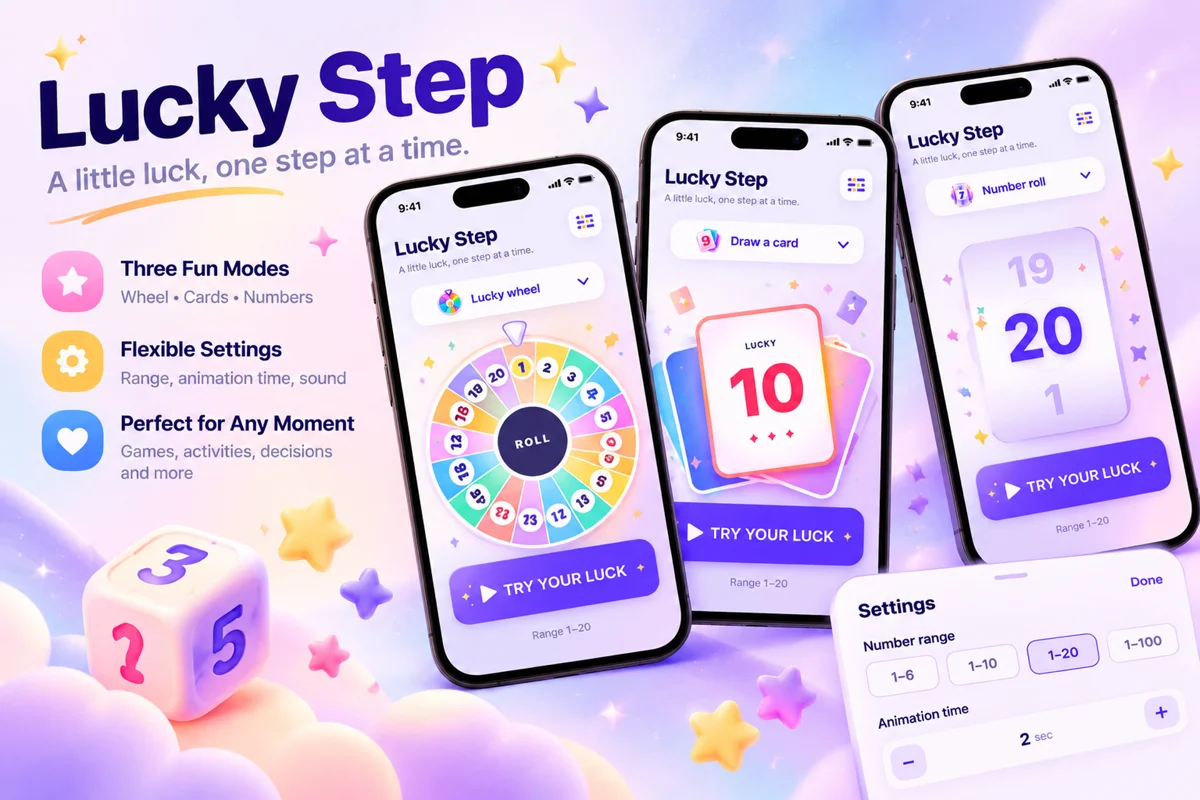
Lucky Step started after playing board games with my daughter. The idea came from a familiar part of moving around a board: roll, get a number, and move a piece that many spaces.
I took that small interaction and made an iOS app around it. Lucky Step picks a random integer in a chosen range and reveals it with an animation. That is the core of the product, and it is enough to explain what I wanted to build.
A number that leads to the next move
In a movement game, a number has an immediate purpose. It becomes the next few spaces on the board. That connection gave the app its starting point: a lightweight tool that can sit alongside a physical game.
A familiar six-sided range is useful, but a homemade game can have different rules. Lucky Step lets players set the start and end anywhere from 1 to 100. A game that uses 2–8 spaces per turn can use that exact range instead of asking players to reinterpret another result.
The app does not know where a pawn is, whose turn comes next, or what happens on a special square. Those decisions stay with the people playing. I kept the software's job small: provide a number and make it clear when the result is ready.
Making room for the reveal
There are three ways to reveal a result: rolling numbers, a lucky wheel, and a card flip. They give the same basic action different visual rhythms. The animation duration can be set from 1 to 15 seconds, and sound can be turned on or off.
The wheel has a practical limit: it supports ranges containing up to 20 numbers. For larger ranges, players can use rolling numbers or cards. A small app still needs boundaries that are easy to understand, especially when a visual idea stops working well at a larger scale.
Number generation works offline and does not require an account. Preferences stay on the device. These choices let someone open the tool and use it beside a board without a setup process becoming part of the evening.
What can you do with Lucky Step?
- Choose your number range: use quick ranges of 1–6, 1–10, 1–20, or 1–100, or set custom start and end values within 1–100 to match your movement rules.
- Pick a reveal animation: choose rolling numbers, a lucky wheel, or a card flip, with a reveal duration of 1–15 seconds. The wheel supports ranges containing up to 20 numbers.
- Use multiple languages and spoken results: the app supports 10 languages, including English, Chinese, Japanese, Korean, and French. Follow your device language or choose one manually. With sound enabled, the result is spoken aloud after the animation.
Version 1.1 brings it to iPad
Lucky Step 1.1 is now released with iPad support. It has layouts for portrait and landscape, along with supported Split View and window resizing. An iPad gives the shared result more room at the table.
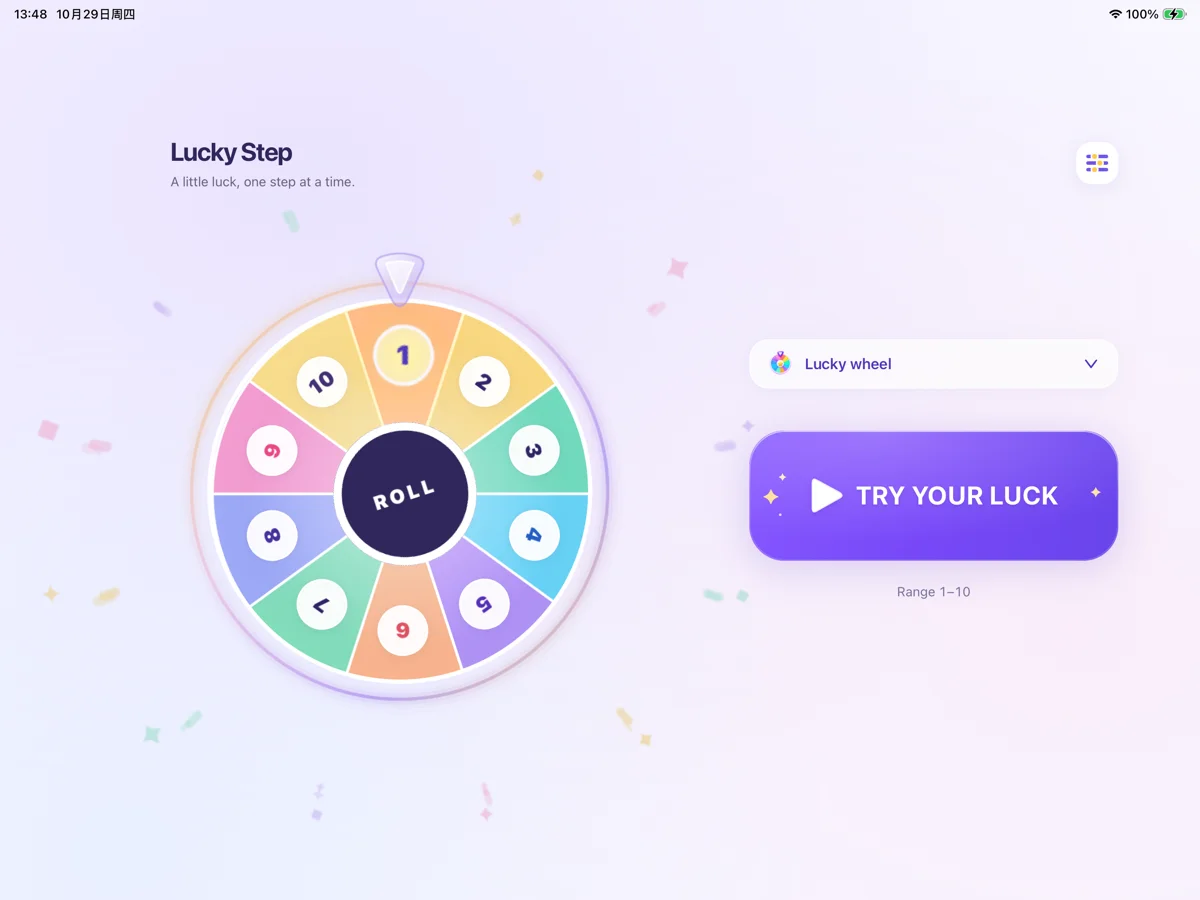
The update also refreshes the home layout, typography, and controls. The current reveal style has a dropdown selector, and players can swipe across the animation area to change styles. The release improves interactions during rotation and resizing, and updates the reveal effects for all three modes.
The three reveal styles, custom range, sound, spoken results, and ten app languages were already part of version 1.0. The iPad support and interface refinements are what is new in 1.1.
From a family game to a downloadable app
I like that the idea can be traced back to a simple offline activity with my daughter. The result is small enough to describe in one sentence: choose a range, tap, and reveal the next move.
Lucky Step is free to download for iPhone and iPad. If you try it with a homemade game or have a different use for a movement number, I would be interested to hear about it. You can reach me at maowenbei@gmail.com.
For ideas to bring to your own table, I also wrote a guide to random number methods and seven alternatives to rolling dice.